
A hands-on review and step-by-step walkthrough of Sender.net, the beginner-friendly email marketing software with a generous free forever plan.
Looking for an honest Sender.net review before you commit? This is a hands-on one. I have been using Sender.net with one of my clients, so instead of reading features off a pricing page, I am going to walk you through the platform screen by screen and tell you where it shines and where it falls short.
Short answer up front: for beginners, small businesses, and creators, Sender.net is one of the best value email marketing tools in 2026, mostly because of a free forever plan you can run real campaigns on. It is not the right email marketing platform for everyone, though, and I’ll cover the limits later in this review.
So let’s get started with Sender.net by going to the official website. You can follow along on the free forever plan, which covers up to 2,500 subscribers and 15,000 emails a month, so trying everything in this guide costs you nothing.
Create your free Sender.net account
Sender.net Features: A Complete Email Marketing Tool
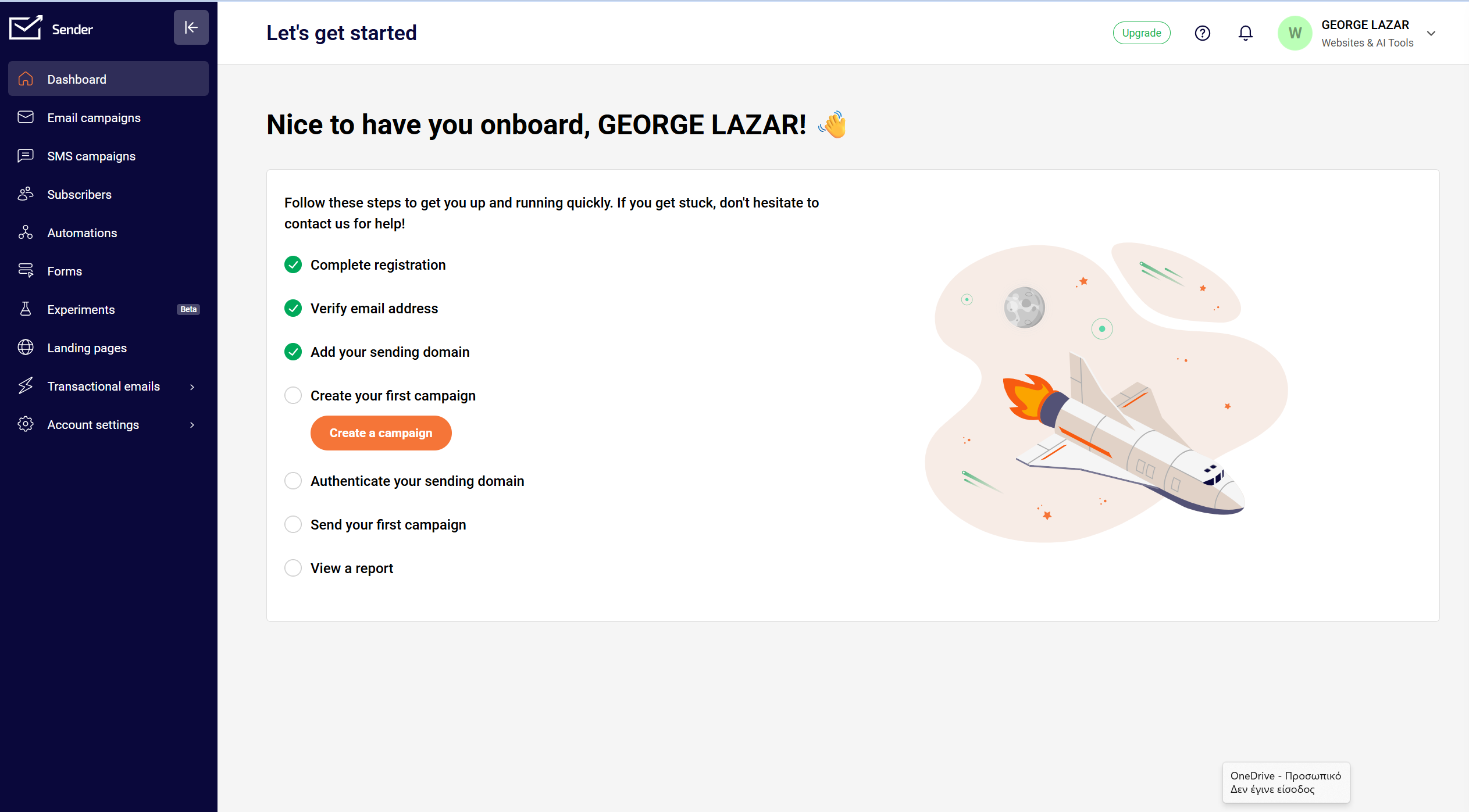
Before the walkthrough, here is what you are actually getting. Sender.net is a full email marketing solution, not just a newsletter sender. You get a drag-and-drop email builder with a template library, marketing automation for welcome flows and email sequences, signup forms and popups, SMS messaging for omni-channel campaigns, and transactional email for order confirmations and alerts. For a tool at this price, that is a robust email marketing feature set, and most of it is available even on the free plan.
That combination is the reason I keep recommending it to beginners. You are not paying for power you cannot use yet, and you won’t outgrow the basics in your first year.
Getting Started and Registration
In the top corner, you have the option to log in using your credentials. But, of course, the better option is to click “Get started for free.” If you do, you will be forwarded to a new page. It is very simple. You’ll need to provide the required information, then click the Register button. Once you do, you will be forwarded to your main dashboard, which gives you all the tools we are going to explore.
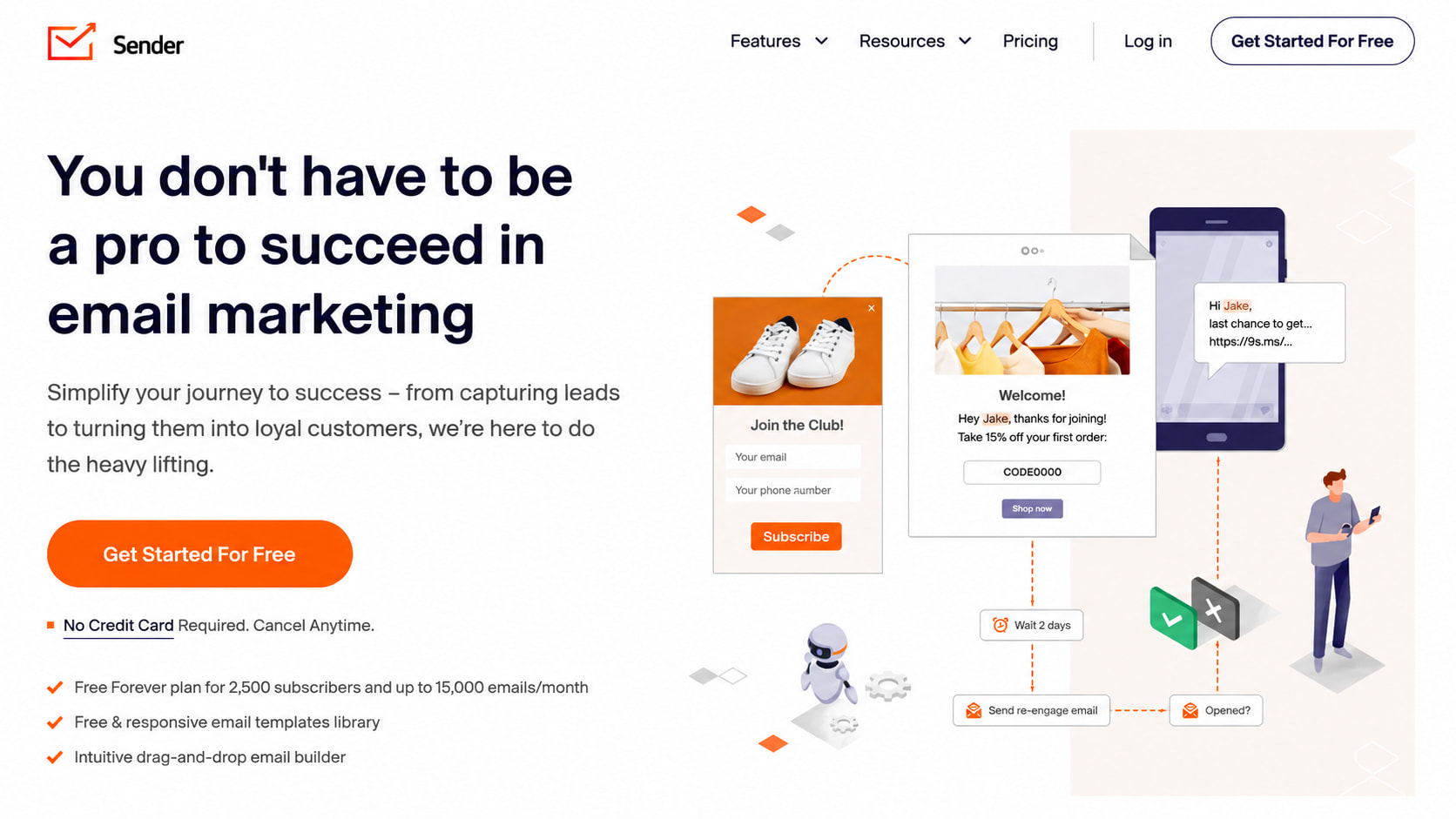
You’ll see a welcome popup box that we need to complete. At this point, provide as much information as you can, because it helps Sender.net’s algorithm and gives you a customized dashboard later on, so the features are useful and tailored to your marketing needs.
I am going to choose CEO, and you fill in the rest of the details. In this case, we are in YouTube content creation, so let’s go for entertainment and events. I will complete the registration, and then we get forwarded to the main homepage.
The Sender.net Dashboard
Right off the bat, this email marketing software offers a clean interface, and it’s easy to use. The dashboard is your main control center, giving you a high-level overview of your recent campaigns. Since this is a newly created account, we do not have anything in place yet. But this is where you will watch your subscriber growth and your email performance stats, things like open rates and click rates, plus quick access to the key features that let you monitor your marketing activity at a glance.
Right now, we still need to complete our business registration, verify the email address, and add a sending domain. That last step matters more than it looks, and I have given it its own section below.
Email Campaigns and the Drag-and-Drop Email Builder
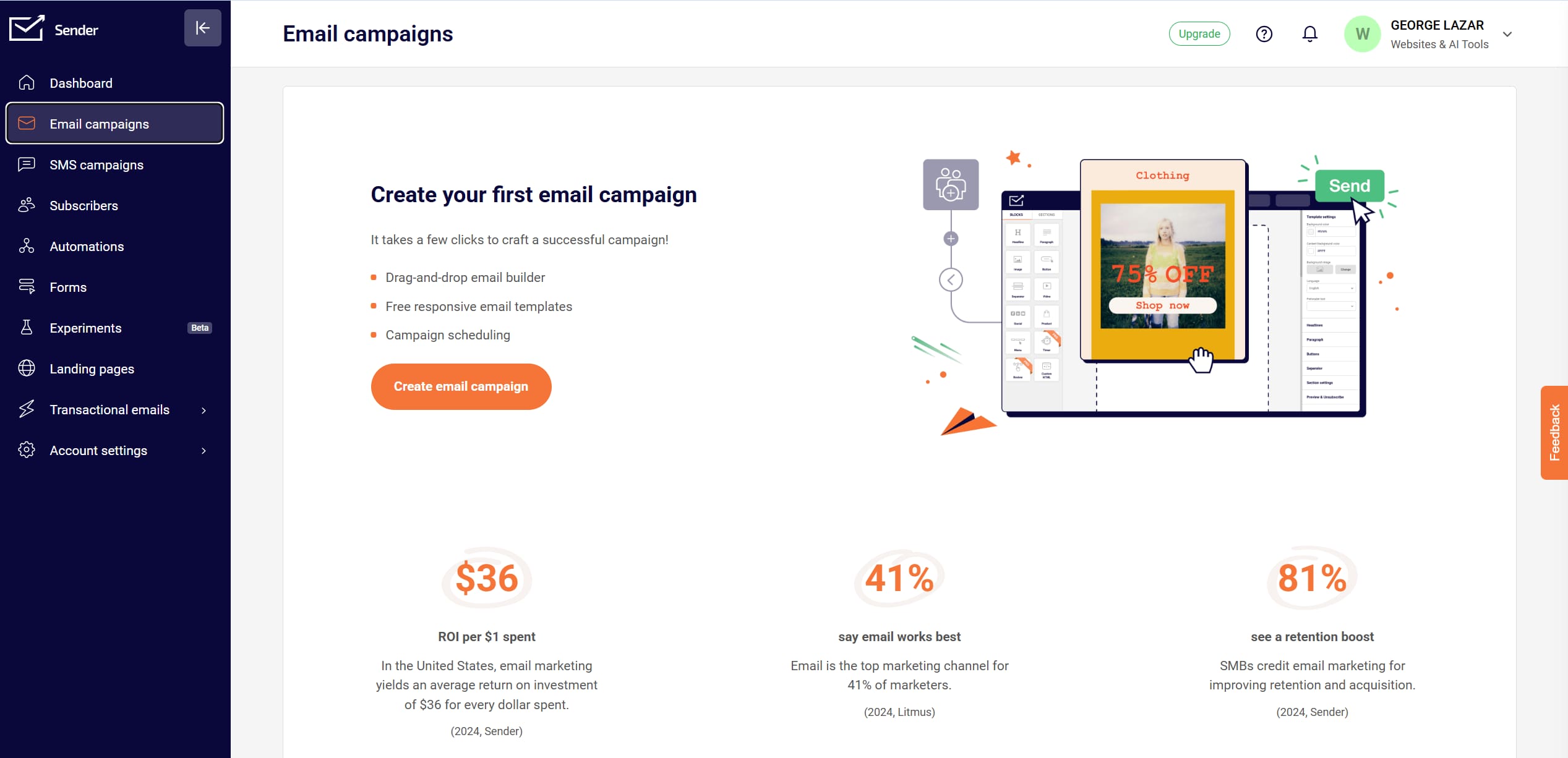
Now we have the email campaigns. This is where you create, manage, and analyze your email marketing campaigns. It takes only a few clicks to craft a solid one. Click the “Create an email campaign” button, and you will be taken to a page where you set the email subject. Fill in the information needed. In this case, I am going to use the Sender email address.
From here, you get the drag-and-drop email builder, and this is the part beginners tend to love. You can choose a ready campaign design, plain text, or custom HTML for full control. The drag-and-drop editor lets you build a professional-looking email without touching a line of code, and a library of email templates is available if you don’t want to start from a blank page. Click Save and Continue, and make sure you set the campaign name. If you would rather send a plain text email, you can do that too. You can do a lot here.
SMS Campaigns and Omni-Channel Marketing
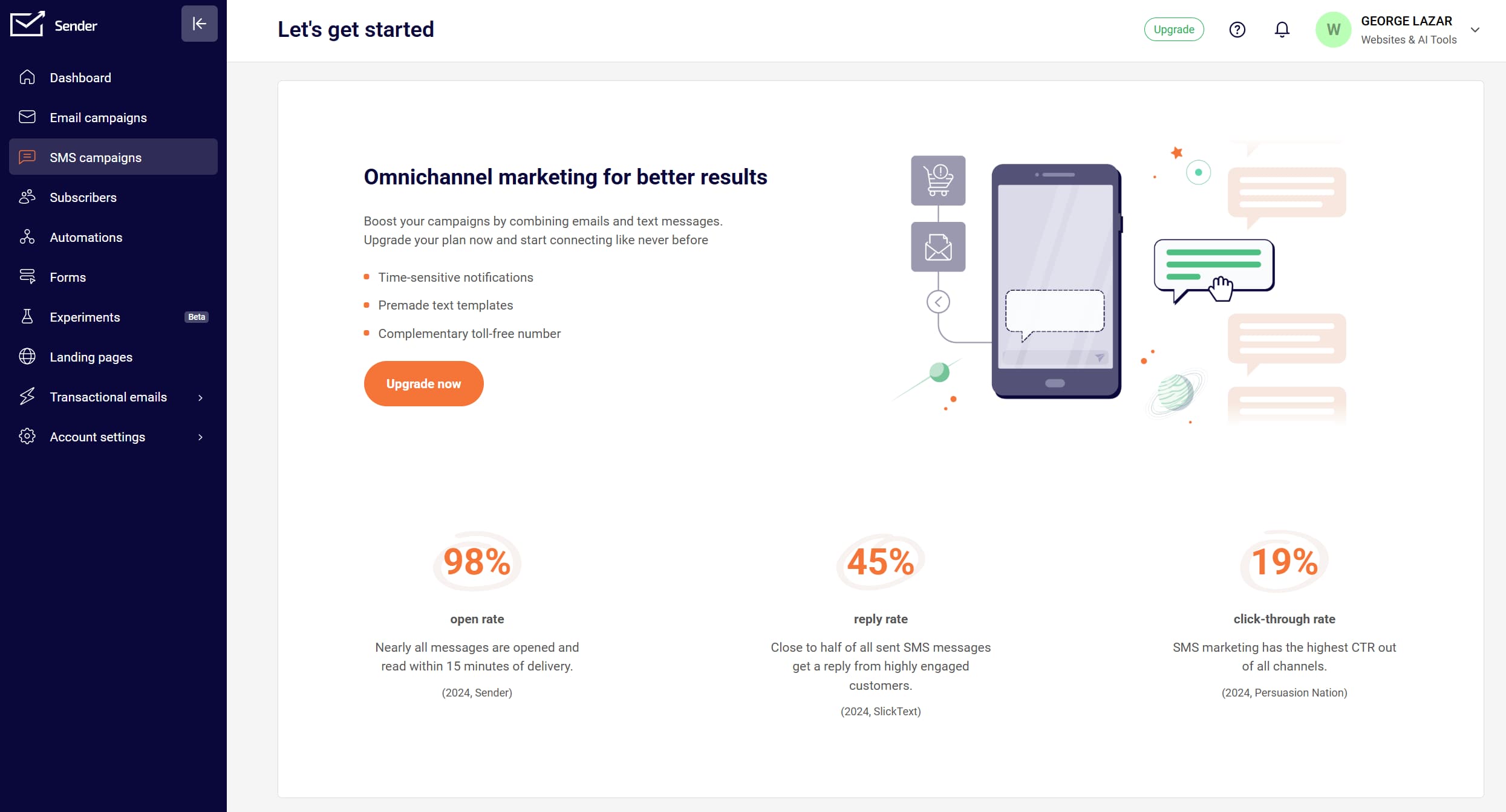
Now let’s move to SMS campaigns, because this is where Sender.net stops being just email newsletter software and becomes a proper omni-channel marketing tool. You can compose and send text messages to your subscribers’ mobile phones, schedule them, and monitor performance, which is ideal for urgent updates, promotions, or reminders. Sender’s own numbers for omni-channel campaigns are strong: around a 98% open rate, a 45% reply rate, and a 19% click-through rate. Email and SMS working together push those numbers up.
Email Deliverability and Sender Reputation
This is the section most tutorials skip, and it decides whether your emails land in the inbox or the spam folder. In Settings, you can verify your sending domain, and you should do it before your first send. Domain authentication protects your email deliverability and sender reputation, so inbox providers trust your marketing emails.
Sender handles the rest reasonably well for a budget tool. On the Free and Standard plans, you share an IP pool, which is fine for normal sending volume. If you send very high volumes of bulk email, you can request a dedicated IP on the Professional plan, which gives you full control of your IP reputation. For most beginners, verifying the domain and keeping your list clean is enough.
Subscribers, Segments, and Importing Contacts
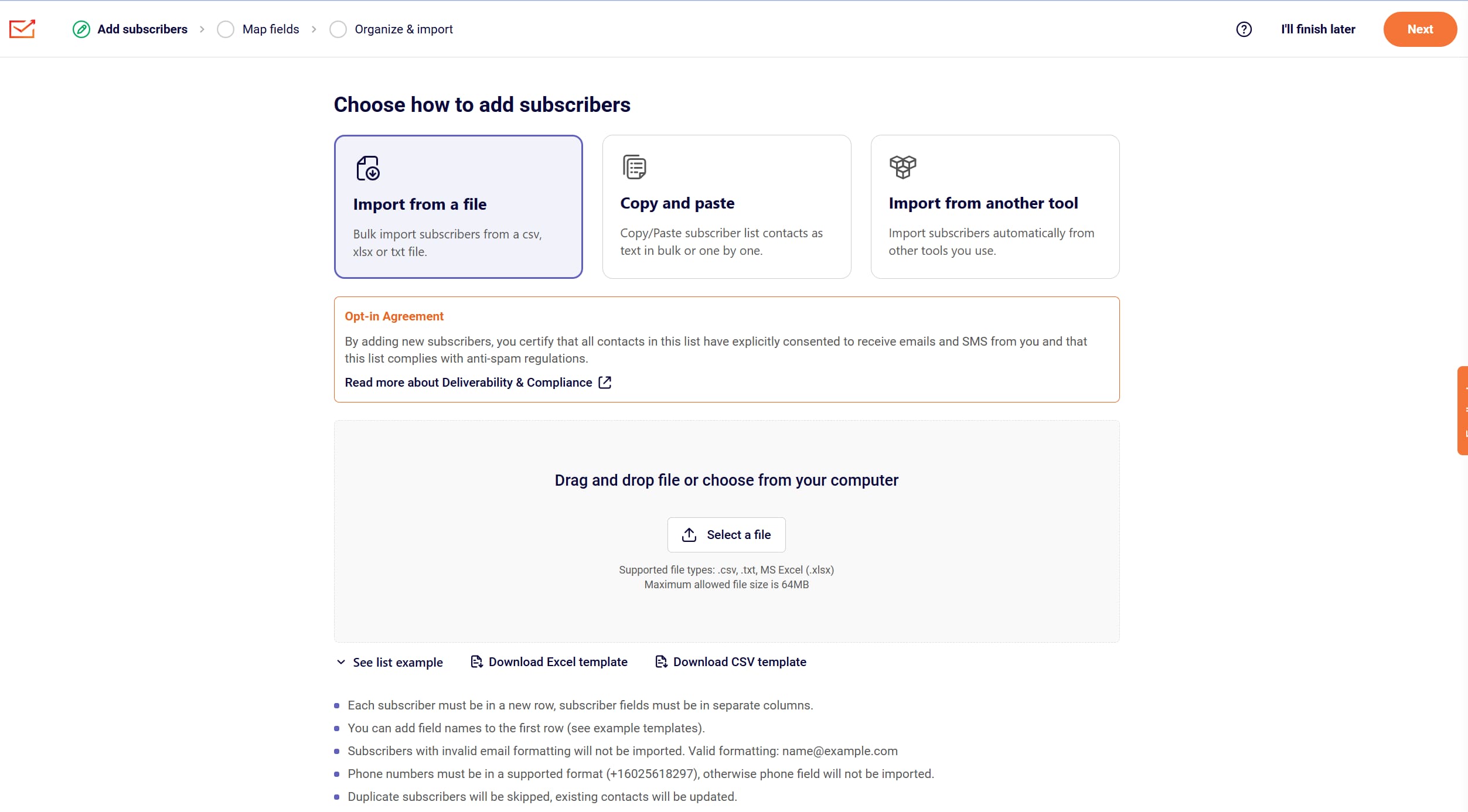
The subscribers section is your list of email and SMS contacts. Head to “Add subscribers.” You can import from a file, copy and paste a subscriber list, or import directly from Mailchimp or GetResponse. If you are switching over from another email marketing service, that last part makes migration painless, since you bring your whole email list with you in a couple of clicks. From here, you can also group people into segments in Sender, so you send the right message to the right slice of your list instead of blasting everyone.
Forms, Popups, and Email Automation
If you do not have a contact list yet, you can build one with forms and popups. Let’s do that. Go to Forms, create your first form, and choose from the templates provided. You get an embedded form, a popup form, and a spin-to-win wheel. In this case, we will create a popup. Name it, then create a new popup. A seasonal template is usually ready to go, so pick whatever fits your campaign.
From there, you land in the forms builder. Click “Start building” and open the design panel. You can customize everything and get as creative as you like. Want a background image? You can pull one from Giphy, Unsplash, patterns, or icons, or upload your own, which is what I do. Select the image, click Insert, and it will appear. Then set the position and adjust it as you like. Save and continue. You can also preview the desktop and mobile views, and the forms are fully responsive.
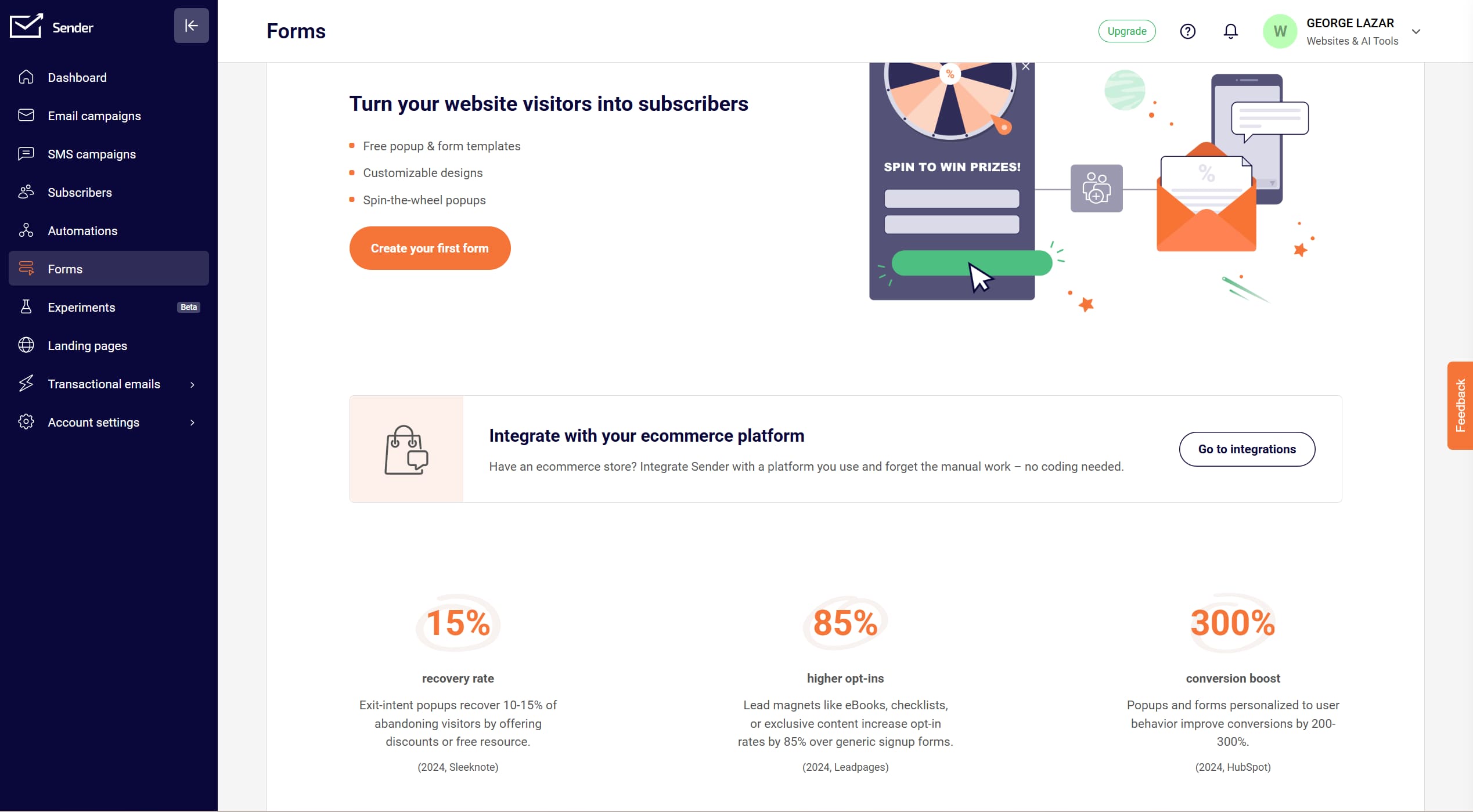
This is where marketing automation starts to earn its keep. A signup form can trigger an automated welcome email or a whole email sequence. Hence, a new subscriber gets a professional-looking email the moment they join, without you lifting a finger. Setting up that first automated email flow is the single highest-return thing you can do inside Sender.
Account Settings
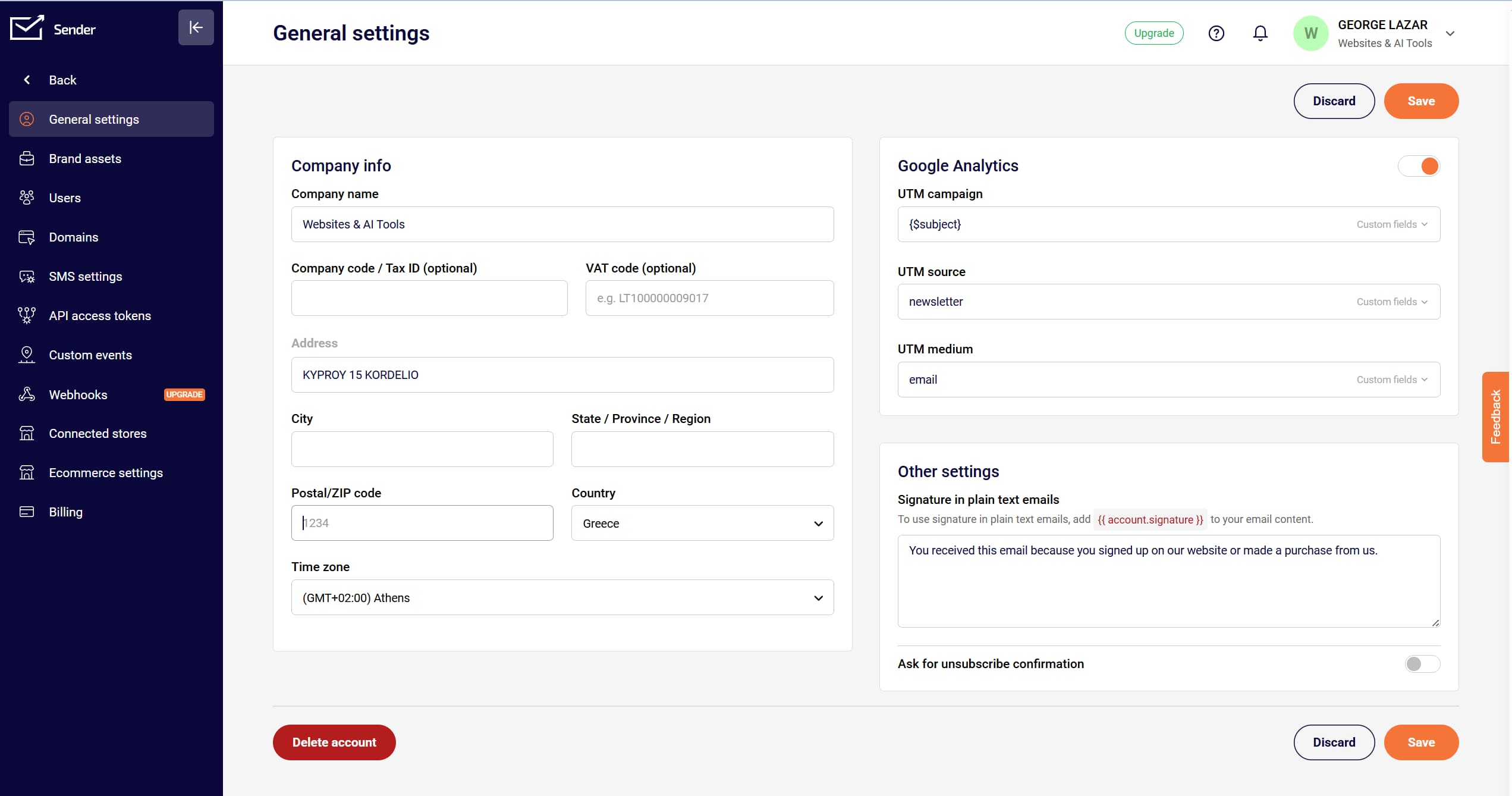
Last stop is your account settings. Here, you configure your account information, including sender email settings, API keys, billing details, and your custom domain. It is also where you set user roles if you are working with a team, which matters once more than one person is touching your campaigns.
Sender.net Pricing and Its Free Email Marketing Plan
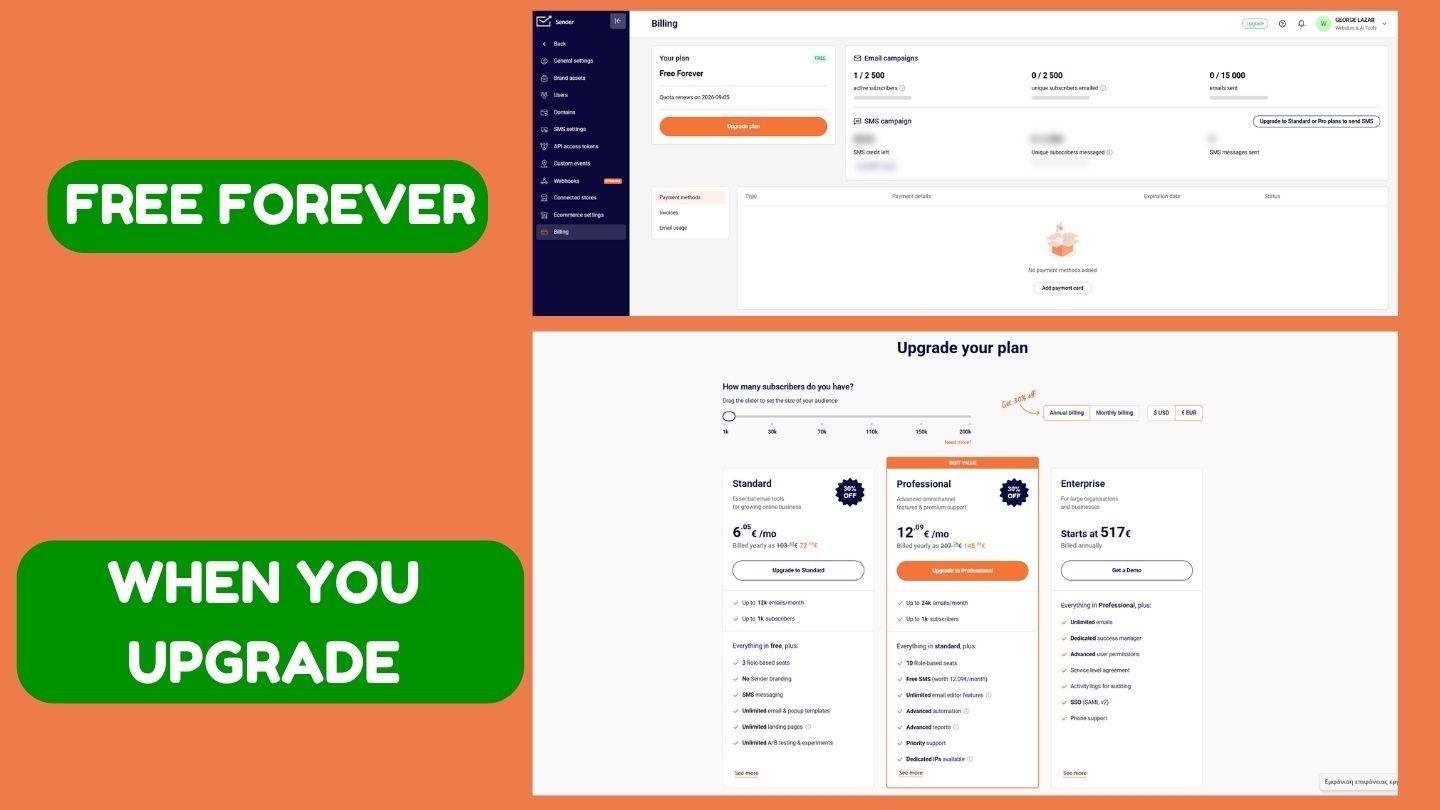
The upgrade button unlocks all the features and tools in Sender.net. Right now we are on the free plan, so a few options are limited. And to be fair to Sender, the free plan is unusually generous: the Free Forever plan gives you up to 2,500 subscribers and 15,000 emails a month, with automation and forms included rather than paywalled.
When you outgrow it, the paid tiers are some of the most affordable email marketing pricing around. The Standard plan starts at about $7 a month and removes Sender branding from your emails and forms, adds SMS messaging, and unlocks multi-user access. You can pay with PayPal, Mastercard, or Visa. The Professional plan starts at about $14 a month and adds advanced automation, animated countdown timers, priority support, and more. Both paid plans scale with your contact count instead of a hard subscriber cap, using email multipliers of roughly 12x your list on Standard and 24x on Professional. That model is cheap, but the multipliers can be confusing at first, so check the calculator before you assume a price.
Compare Sender.net’s plans and start free
Sender.net Pros and Cons
No email marketing platform is perfect, and after real use, here is my honest take.
What I like:
- One of the most generous free plans on the market, and the free plan is not crippled.
- Cheap paid tiers, so it stays affordable as a small business grows.
- A user-friendly, beginner-friendly interface that does not overwhelm you.
- Email and SMS in one tool, plus solid automation for the price.
- Fast, well-reviewed customer support.
Where it falls short:
- Advanced automation and segmentation get thin once you scale past simple campaigns.
- The email templates are decent but basic so that design-heavy brands will feel boxed in.
- The email volume multipliers make pricing harder to read than a flat per-contact fee.
- The 2,500 subscriber ceiling on the free plan comes up faster than you expect.
Sender.net vs Mailchimp and Brevo: The Right Email Marketing Software?
If you are comparing email marketing platforms, here is the short version. Against Mailchimp, Sender is cheaper and simpler, with a more generous free plan, while Mailchimp still wins on integrations and ecosystem. Brevo or Sender is a closer call: Brevo bills by emails sent, Sender bills by contacts with those multipliers, so which is cheaper depends on how often you email your list. For most beginners weighing cheap email marketing tools, Sender is the easier place to start, and you can always migrate later. The full head-to-head is worth its own article.
Sender.net Review Verdict: Is It Worth It in 2026?
Short version: Yes, for beginners and small businesses. It stands out for its user-friendly interface, affordable pricing, and solid automation, making it a smart choice for anyone serious about email marketing who doesn’t want to get buried in tech. The free forever plan alone makes it worth signing up. Whether you run a small business, freelance, sell through an ecommerce store, or create content, Sender.net gives you a powerful and beginner-friendly platform to grow your audience and boost engagement.
It is definitely worth a try.
Start with Sender.net free, then upgrade when you grow
Frequently Asked Questions
Is Sender.net really free? Yes. The Free Forever plan covers up to 2,500 subscribers and 15,000 emails a month, requires no credit card, and never expires. You get automation, forms, and support, so you can run real campaigns before paying anything.
Does Sender.net handle transactional email? Yes. Alongside your marketing emails, you can send transactional email through Sender, which is handy for order confirmations and account alerts if you run an ecommerce store.
How good is email deliverability on Sender.net? Sender puts real weight on deliverability and sender reputation. Verifying your sending domain is the single biggest thing you can do to keep your emails landing in the inbox.
Is Sender.net good for ecommerce email marketing? Yes. Between automated email flows, abandoned-cart automation, and SMS, it works well as an ecommerce email marketing tool, especially for stores that have outgrown a basic free tool but do not want enterprise pricing.
Sender.net vs Mailchimp: which is better for beginners? For small lists, Sender is usually the cheaper and simpler pick, and you can import your contacts straight from Mailchimp. It fits a lean email marketing strategy without the bloat.
Affiliate Disclosure: Some links in this article are affiliate links. If you sign up for Sender.net through one of these links, I may earn a commission at no additional cost to you. This does not affect the price you pay or my opinions about Sender.net. I only recommend products and services that I believe can provide genuine value to my readers.